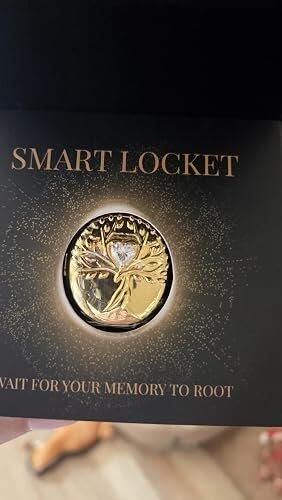


Médaillon intelligent IA Arbre de Vie
Un souvenir vivant que vous pouvez porter.
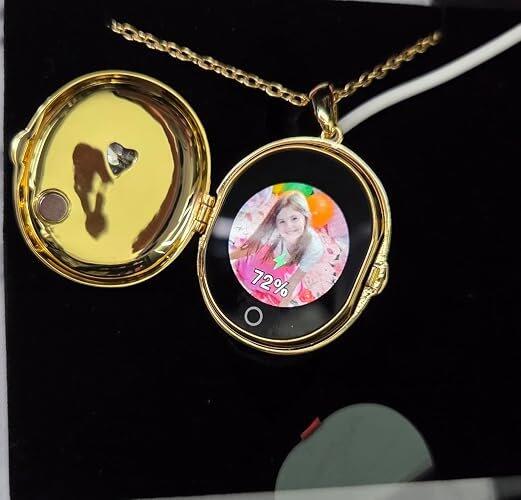
Gardez près de vous les personnes, les animaux et les moments que vous aimez grâce à un médaillon intelligent qui donne vie à vos souvenirs préférés : un bijou précieux à porter au quotidien, suffisamment beau pour être porté tous les jours et un cadeau inoubliable.
- Diaporamas photos, courtes vidéos & IA Déplacer les souvenirs
- Configurez-le vous-même ou ajoutez le préchargement de photos (+4,99 $)
- Visionnez vos souvenirs sans téléphone ni Wi-Fi
- Modifiez vos souvenirs à tout moment dans l'application.
- Coffre-fort privé sur casier

- Livraison sous 6 à 13 jours
- Application iOS & Android gratuite
- Retours gratuits sous 30 jours
- Garantie 1 an
Dimensions & Ajuster
• Pendentif : 1.18" L × 1.61" H × 0.59" T (30 × 41 × 15 mm)
• Poids : environ 19 g
• Longueur de la chaîne : 23.6" (60 cm)
• Fermoir mousqueton réglable avec un 2" chaîne d'extension
Fonctionnalités de mémoire
• Stockez jusqu'à 9 photos sous forme de diaporama
• Prend en charge 1 courte vidéo ou 1 mémoire animée IA
• Comprend 10 créations de souvenirs animés par l'IA ; les souvenirs créés peuvent être rejoués sans frais supplémentaires
• Téléchargez et mettez à jour des diaporamas photo, de courtes vidéos et des messages personnels aussi souvent que vous le souhaitez – aucun abonnement requis
• Modifiez vos souvenirs à tout moment via l'application TOTWOO
Application & Connectivité
• Application TOTWOO gratuite pour iOS et Android
• Connexion Bluetooth requise pour ajouter ou modifier des mémoires
• Aucun téléphone ni connexion Wi-Fi n'est requis pour consulter les souvenirs enregistrés
• Les souvenirs sont stockés localement sur le médaillon
Batterie & Chargement
• Jusqu'à 300 vues par charge
• Autonomie en veille d'environ 8 à 10 jours, selon l'utilisation
• Câble de chargement magnétique USB inclus
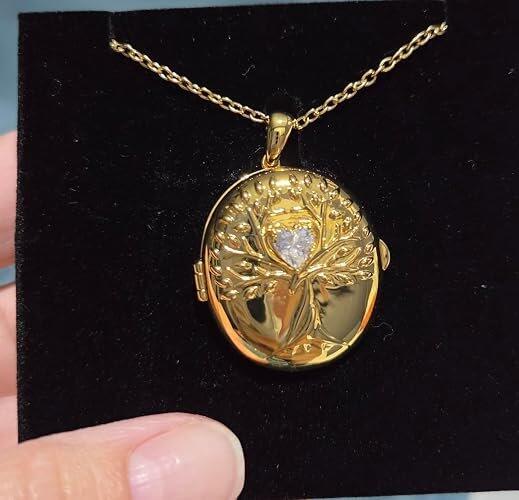
Plaqué or 18 carats/Saphir blanc
Une finition chaleureuse et raffinée pour une élégance au quotidien. Ce modèle présente une base en laiton plaquée or 18 carats (composée à 75 % d'or pur) et un saphir blanc qui apporte une touche de lumière subtile au motif de l'Arbre de Vie.
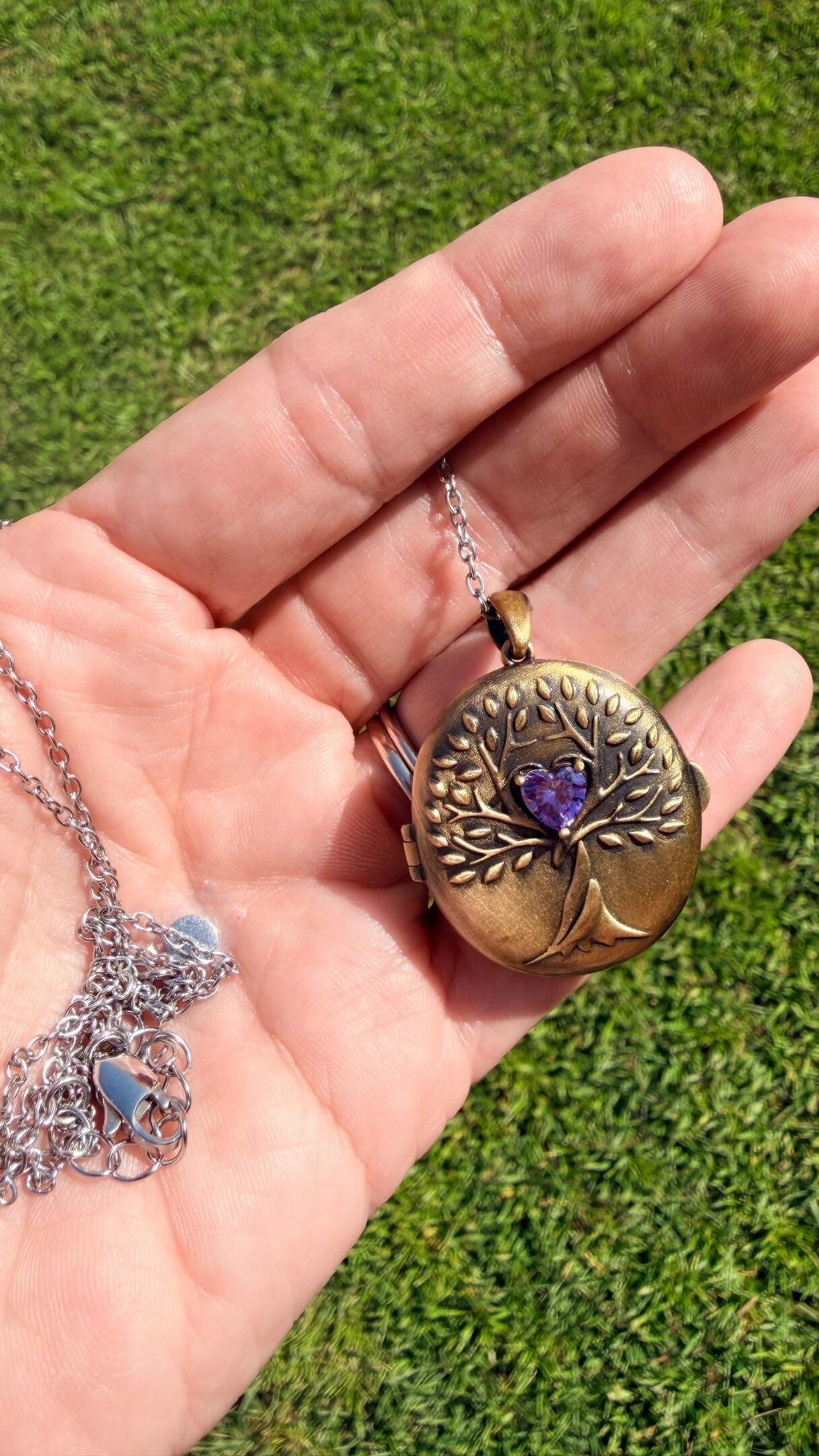
Vintage/Améthyste
Une finition d'inspiration antique confère à l'Arbre de Vie une profondeur et un caractère intemporel. Conçu avec un socle en laiton et rehaussé d'une touche d'améthyste, chaque détail lui confère un caractère unique.
Argent sterling 925/Saphir blanc
Notre modèle haut de gamme en argent est confectionné avec une base en argent sterling S925 (92,5 % d'argent pur) et plaquée or blanc 18 carats. Son métal précieux, son éclat et son saphir blanc en font un bijou d'exception.
Chaîne
Chaque modèle comprend une chaîne ajustable en acier inoxydable 316 avec un fermoir mousqueton et une extension de 5 cm pour un ajustement personnalisé.
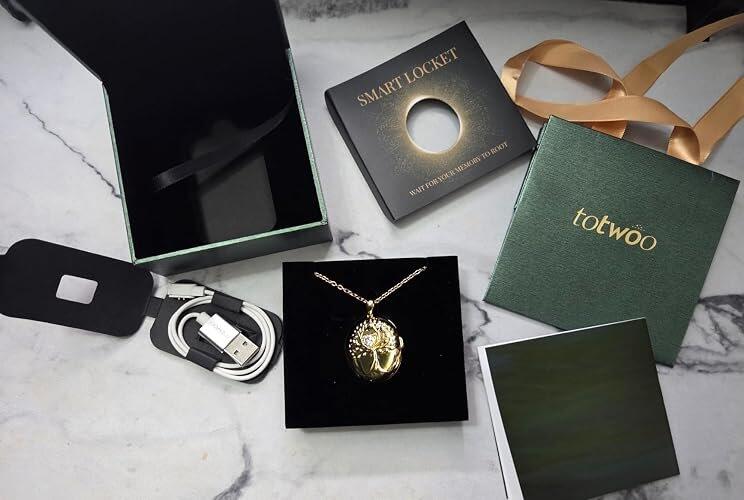
• Médaillon intelligent Arbre de Vie
• Chaîne réglable en acier inoxydable 316
• Câble de chargement magnétique USB
• Manuel d'utilisation
• Carte-cadeau
• Coffret cadeau
Expédition
États-Unis : Livraison standard gratuite en 3 à 5 jours ouvrables. Expédié depuis nos entrepôts. U.S. entrepôt.
International : Livraison standard gratuite en 6 à 20 jours ouvrables environ, selon la destination.
Consultez les estimations de livraison par pays :
https://totwoo.com/pages/shipping-policy
Précommande d'argent 925
Le modèle en argent 925 sera expédié séparément sous 15 à 20 jours ouvrables. Le délai de livraison commence après l'expédition.
Garantie et retours
Chaque médaillon intelligent TOTWOO est assorti d'une garantie d'un an couvrant les défauts de fabrication.
Nous offrons un retour gratuit sous 30 jours sur les articles admissibles.
Politique de retours et de remboursements :
https://totwoo.com/policies/refund-policy
Besoin d'aide ?
Consultez notre centre d'aide :
https://totwoo.com/pages/help-center
Ou contactez-nous à support@totwoo.com.