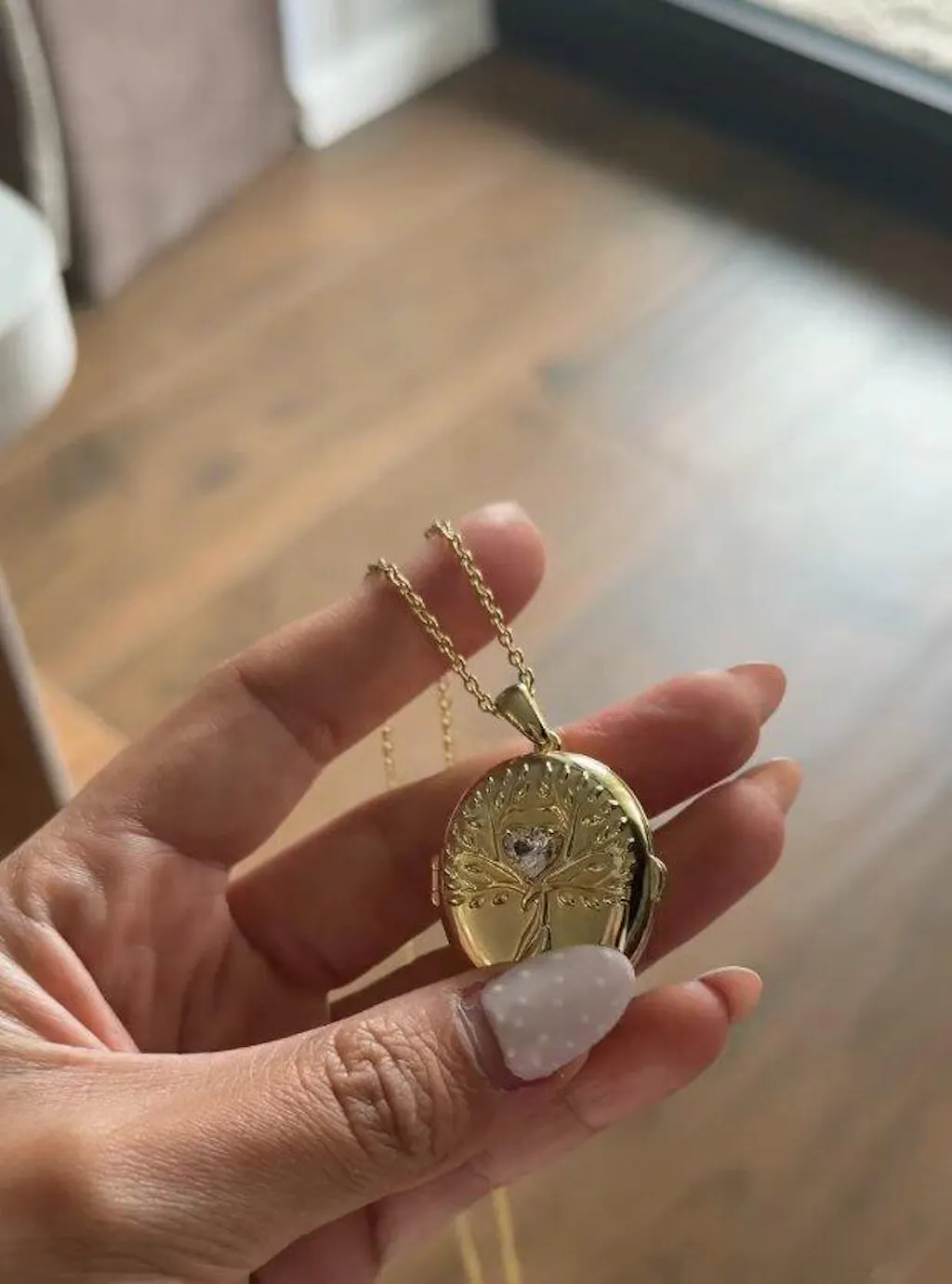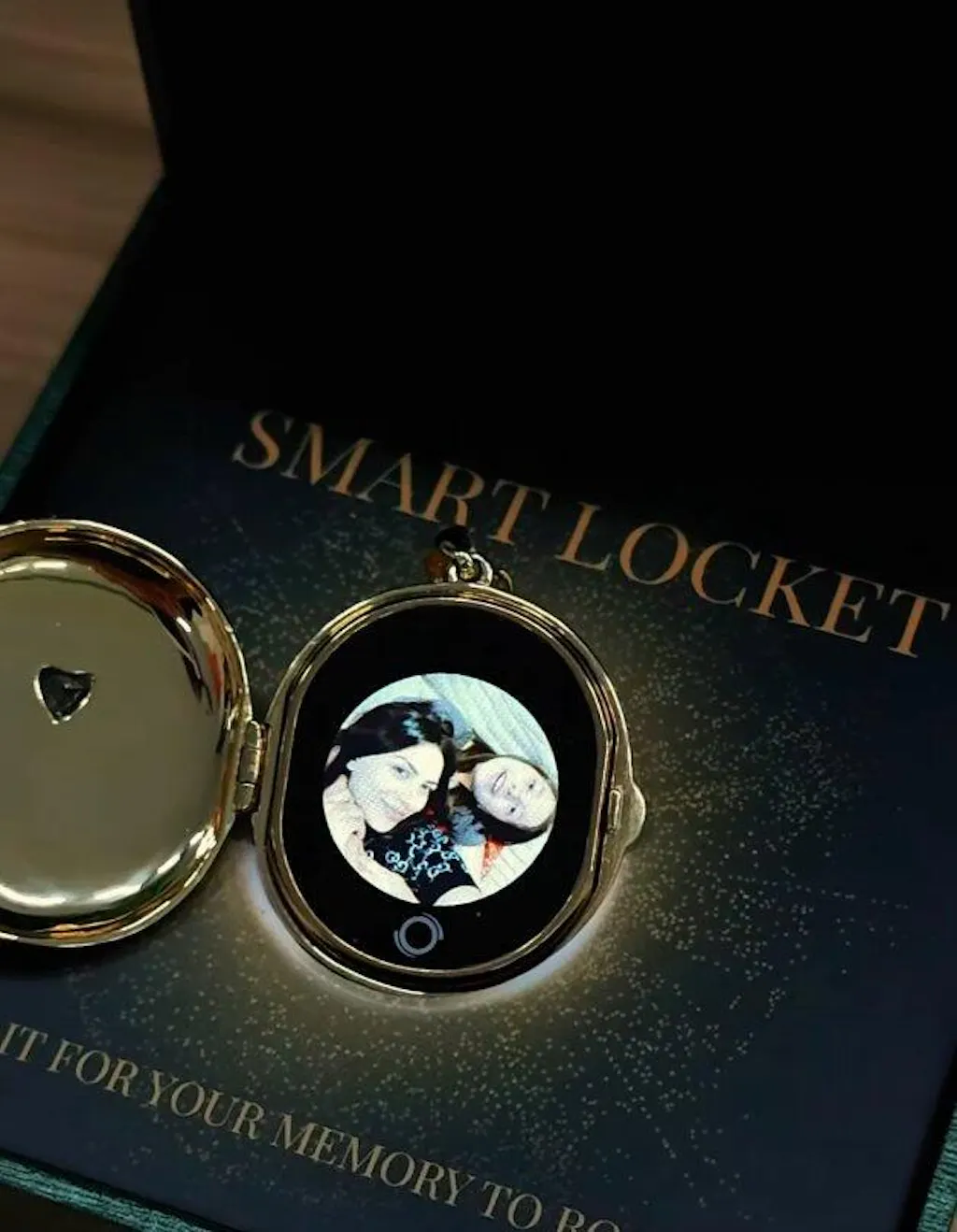


Tree of Life AI Smart Locket
A modern locket for the people, pets, and moments you carry closest. Upload a favorite photo, create a gentle AI moving memory, or add up to 5 photos — and keep love close to your heart.
- 30-Day Free Returns
- 1-Year Warranty
- 6–13 Day Delivery
- Gift Packaging Included

Materials
• Gold: 14K Gold-Plated Brass
• Vintage Gold: Antique Finish Brass
• Gemstone: White Sapphire / Amethyst
Dimensions & Fit
• Pendant Size: 1.18" W × 1.61" H × 0.59" T(30 mm × 41 mm × 15 mm)
• Weight: Approx. 19g
• Chain Length: 23.6" (60 cm)
• Adjustable lobster clasp with 2" extension chain
Memory Features
• Store up to 5 photos
• Supports 1 short video or AI-generated moving memory
• Includes 10 AI memory creations
• Switch memories anytime through the app
Battery & Charging
• Up to 300 views per charge
• Standby time: 8–10 days
• Magnetic USB charging cable included
Step 1 – Upload Your Memories
📷 Upload up to 5 photos or create one moving memory in the TOTWOO App.
Step 2 – Sync to Your Locket
🔄 Your memories are securely transferred and stored locally on your Smart Locket.
Step 3 – Open & Relive
💛 Open your locket anytime to revisit the people, pets, and moments you love most.
→ View Full Setup Guide here.
Smart Locket* 1
User Manual*1
USB Charger *1
Gift Card*1
• Enjoy free standard shipping on orders over $49. We also ship internationally so meaningful memories can travel anywhere. Learn more about our shipping policy here.
• Every TOTWOO Smart Locket comes with a 1-Year Warranty covering manufacturing defects.
• We offer 30-Day Free Returns on eligible items, giving you time to make sure your Smart Locket feels just right. Learn more about our Returns & Refund Policy here.
• Need help or have questions? Visit our Help Center or contact us anytime at support@totwoo.com.